My experience with Novation Launchkey 61 MK4 on Linux
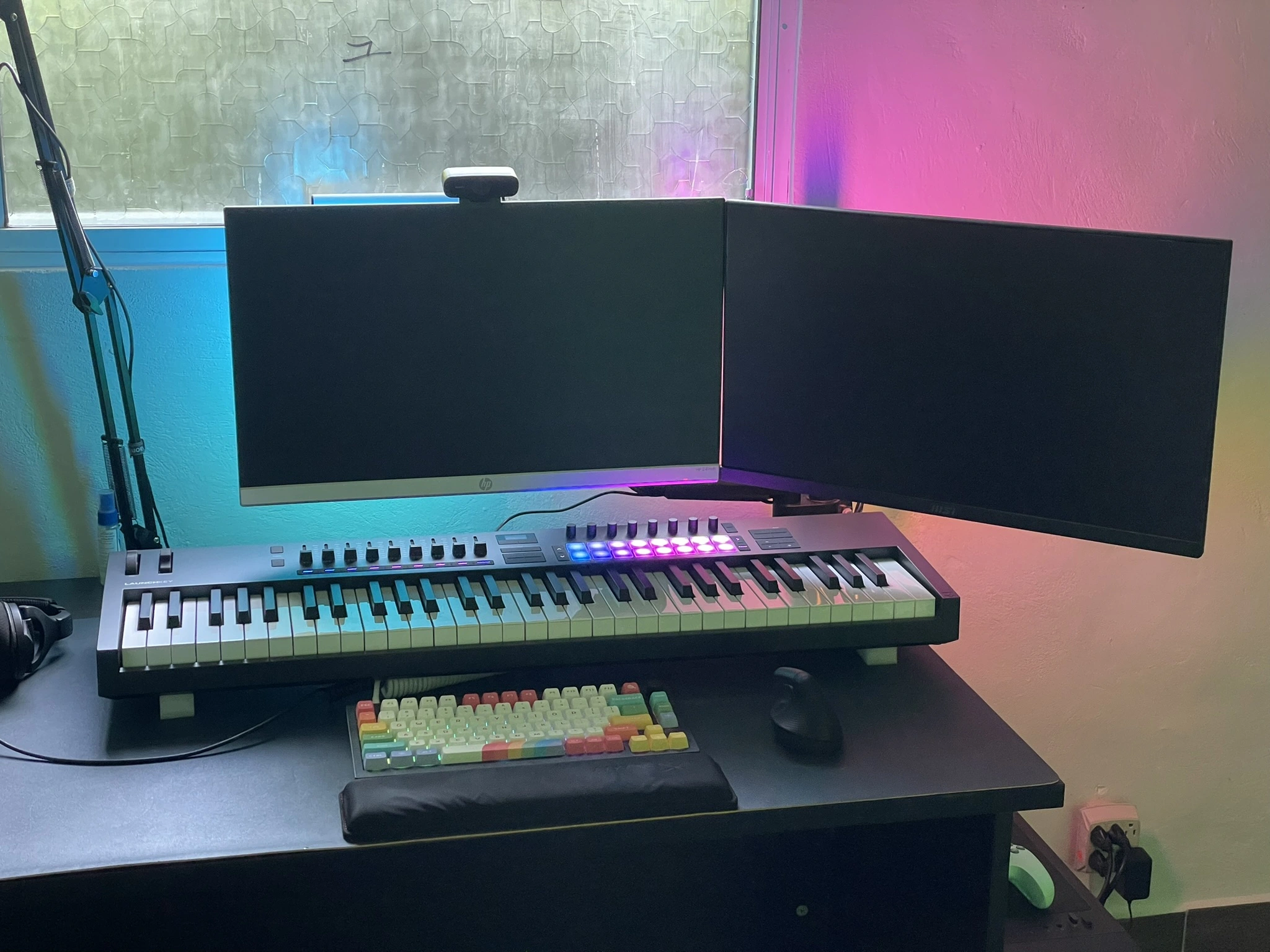
I previously owned Launchkey 37 MK3, which was a great controller for producing music but not for playing most songs with two hands. After moving, I decided to upgrade to Launchkey 61 MK4 since I finally got big enough desk space for 61 keys. These semi-weighted keys are much better quality in comparison and a lot more pleasant to play.
Linux compatibility
I daily drive Linux, and this controller is mostly working flawlessly.
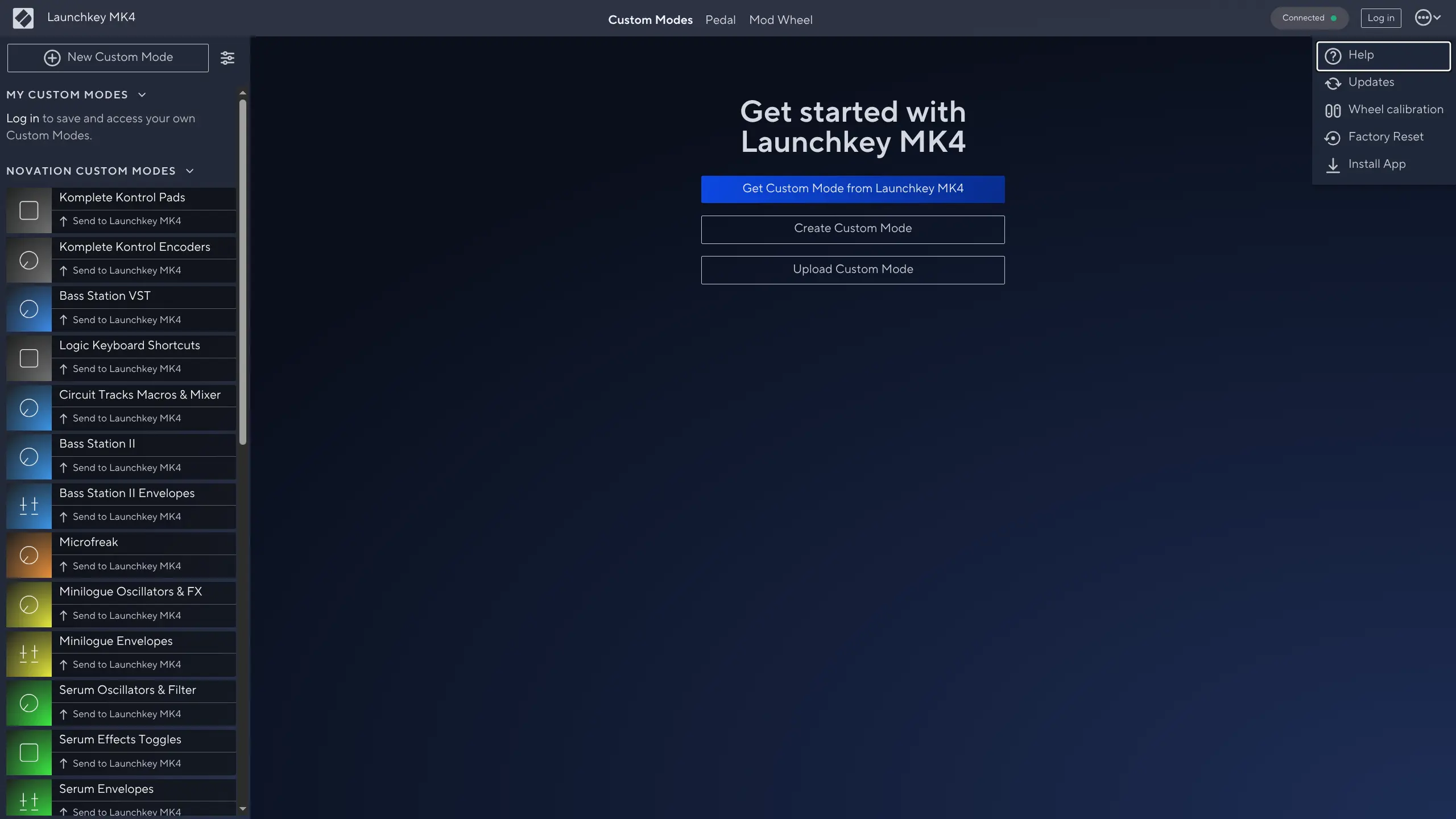
Firmware upgrades are surprisingly easy and are performed via a browser on the Novation Components website. I didn’t even know firmware could be updated that way.
You can also do a factory reset and calibrate the pitch and modulation wheels from there, which I didn’t really need to do, but it’s neat that they have that option.
One thing that occasionally bothers me: sometimes the controller is not picked up by the system until I replug it.
I use PipeWire, and I’m not really sure whether it’s a problem with my configuration. But I never had this issue with the MK3.
But it happens like once a month, so it’s not a big issue for me.
DAW
My DAW of choice is Bitwig Studio, and it has an excellent support for this controller out of the box.
The controller interfaces are clearly labeled “MIDI In/Out” and “DAW In/Out”. In Bitwig, specify them in this order:
Launchkey MK4 61 DAW OutLaunchkey MK4 61 MIDI OutLaunchkey MK4 61 DAW InLaunchkey MK4 61 MIDI In
Older Linux interface names and setup
When I first wrote this post, the controller interfaces didn’t have MIDI and DAW
in their names. They appeared as Launchkey MK4 61 Launchkey MK4 and Launchkey MK4 61 Launchkey MK4 #2, and Bitwig didn’t set them up correctly out of the box.
I had to use trial and error to identify each interface; the screenshot below
shows the order that worked with those old names.
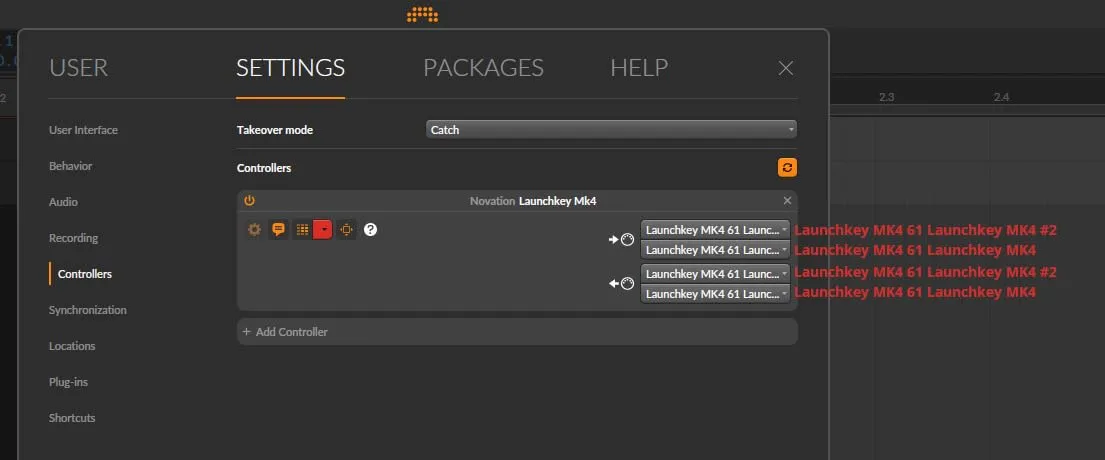
Later system updates fixed the interface names, making the setup much easier.
The knobs, sliders, pads and DAW controls work great. I love using pads for launching clips in Bitwig.
MIDI channels
You can switch MIDI channels by entering the controller’s settings; it’s the first option there. Use either the track arrows or the pads to select a channel.
It works great for quickly changing channels in something like Qsynth.
I find this much more convenient than the ··· button on the MK3, where you
had to hold Shift to go backwards.
Conclusion
I’m just a hobbyist producer and piano player, and I’m still a beginner, so I can’t yet review more advanced features that this controller supports.
Nonetheless, I did a lot of research and this seems to be the best “neutral” controller on the market in this price range. By “neutral” I mean not married to a specific ecosystem like Native Instruments or Arturia, resulting in needless price markups for those who don’t need those ecosystem features.
So, if you don’t mind the occasional replugging issue (which may not affect macOS or Windows), I’d say go for it!
Thanks for reading! If you’d like to hear what I’ve made with this controller, check out my song Sea’s Promise, featuring Emlym’s vocals.